Allion Mobile APP Test Solution
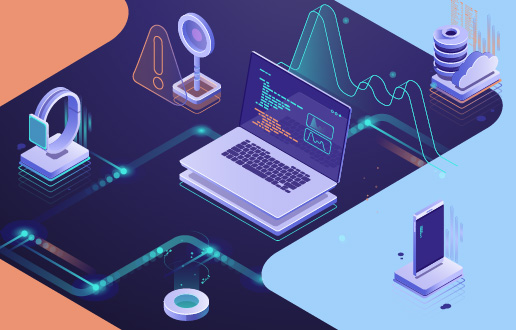
As the variety of mobile devices and OS versions continues to grow, testing teams face unprecedented complexity. The Allion Mobile App Test Solution is built for exactly this challenge: using Windows as the master console, it remotely manages Device Control System (DCS) nodes over LAN to coordinate multiple Android and iOS devices in parallel — creating a scalable, manageable, and traceable automated testing platform.
Solution
Inquiry
A New Era of Industry Challenges
Mobile apps and connected devices are evolving faster than ever, putting unprecedented pressure on the teams responsible for testing them. Release cycles keep shrinking, while device and OS fragmentation multiply the combinations that must be validated — a single feature can require testing across dozens of handsets, multiple OS versions, and a wide range of network and hardware conditions. Manual device connection, sequential test execution, and hand-compiled results simply cannot keep up. These traditional workflows drain engineering capacity and introduce quality risks through procedural gaps and environmental inconsistency.
Mobile Device Automated Testing Solution
The Allion Mobile App Test Solution is an integrated automation platform purpose-built for testing at scale. A single console unifies device management, scheduling, and script execution, replacing ad-hoc manual processes with standardized workflows and structured reporting. Because every activity runs in parallel — from system administration to large-scale validation — teams can expand test capacity, shorten regression cycles, and accelerate delivery without sacrificing consistency or traceability.
- Rapid Script Creation: Visual step recording — point and record, no deep coding background required
- Centralized Device Control: Multiple Android / iOS devices orchestrated centrally through DCS nodes
- Cross-Platform Integration: Two-tier architecture — Windows UI + DCS — seamlessly integrated (Appium v2)
- In-Depth Report Analysis: Hierarchical pass/fail reports with screenshots and notes fields
Allion Delivers the Solutions You Need
Mobile device testing goes far beyond simply launching an app — it’s about ensuring every feature works reliably across dozens of device models, multiple OS versions, and diverse hardware configurations. At Allion, we understand the three core challenges customers face when scaling their testing efforts, and we provide expert technical support to address each one.
Key Challenge 1: Fragmented Device Management
Test engineers connect handsets to individual workstations, which leads to the following issues:
- Lack of real-time visibility into device status across the test fleet.
- Test execution is spread across multiple workstations, making unified scheduling impossible.
- Device outages and anomalies are hard to diagnose, leading to delays in resolution.
- Separate tooling for iOS and Android control means engineers must switch between multiple environments.
Result: Preparation consumes far more time than the actual testing itself.
Our Solution: DCS — Centralized Management and a Unified Device Pool
Each DCS node connects multiple handsets over USB, and the Allion Mobile App Test Solution manages the entire fleet through a single REST API over LAN:
- The status bar shows each DCS node’s connection state and device count in real time.
- Phone Manager lists every device in the inventory along with its status and OS version.
- Supports concurrent operation of multiple DCS nodes deployed across different labs and sites.
Key Challenge 2: Steep Learning Curve and High Maintenance Burden for Scripts
Building automated test scripts has traditionally required engineers to master Appium APIs, Python, device serial-number management, and a range of configuration details:
- Script authoring is limited to senior engineers, while junior QA staff can only perform manual testing.
- Each UI update breaks XPath and coordinate locators, requiring extensive rework.
- Appium logs are spread across multiple windows, making issues difficult to isolate during debugging.
Result: Because scripts can’t be written as fast as features ship, automation coverage stagnates.
Our Solution: Visual Script Editor — Scripting Made Accessible
The Script Editor is split into two panes: the left mirrors the device in real time, and the right hosts a reimagined guided script editor that walks users through script creation:
- A click on the mirrored screen automatically identifies the UI object at that location or captures the coordinates if no object is detected. The user can then choose the action to perform.
- Dedicated quick-action buttons are available for common operations: Swipe, Text Input, Assert Screenshot, Wait, Back, and Launch Application.
- Based on the selected device, the editor automatically applies the appropriate capabilities — XCUITest for iOS or UIAutomator2 for Android.
Key Challenge 3: Poor Visibility and Reporting of Test Results
Inconsistent reporting of test results makes cross-functional communication and issue tracking difficult:
- Excessive log volume makes it hard to quickly pinpoint the step, device, and version tied to a failure.
- Screenshots, audio files, and other artifacts live in scattered local directories, with no traceability to the originating test steps.
- Plain-text test reports are hard for customers and product managers to interpret and act on.
- The lack of cross-version comparison makes it hard to verify whether fixes have delivered measurable improvements.
Result: High costs of bug reproduction, inefficient cross-team communication, and lengthy resolution cycles compound the problem.
Our Solution: Hierarchical Interactive Reports with Complete Evidence Preservation
Test Result delivers structured hierarchical reports, establishing a complete traceability chain for every layer of an issue:
- Hierarchical structure: Project → Test Item → Sub-item → Test Case → Execution Step
- Each step supports attached screenshots as supporting evidence
- Full-text search with highlighted matches; filtering by Pass/Fail status is supported
Key Features & Benefits
The Allion Mobile App Test Solution combines a unified control plane, no-code authoring, multi-device orchestration, and comprehensive reporting in a single platform. The capabilities outlined below show why it’s ready for production use in large-scale mobile testing programs.
Seamless Automation Architecture
Built on the industry-standard Appium and WebDriver frameworks, the platform provides a stable test environment with broad compatibility across mobile devices.
No-Code Script Editing
Enables any QA team member to create, edit, and maintain test scripts without programming expertise — dramatically lowering the barrier to automation and freeing senior engineers to focus on higher-value work.
Dynamic Multi-Device Test Execution
Offers flexible execution control, letting selected devices run test cases either in parallel or in a predefined sequential order. This makes it easy to manage complex test workflows, optimize time and resources, and ensure thorough test coverage.
Large-Scale Simulation and Stress Testing
Drive 30+ mobile devices from a single console to stress-test critical network infrastructure like routers and servers. This scale exposes performance bottlenecks, thermal issues, and system limitations long before products reach customers.
Highly Transparent Test Reports
With detailed logs and screenshots automatically captured at every execution step, teams have everything they need to track issues, debug quickly, and analyze performance — no manual evidence-gathering required.
Implementation Results
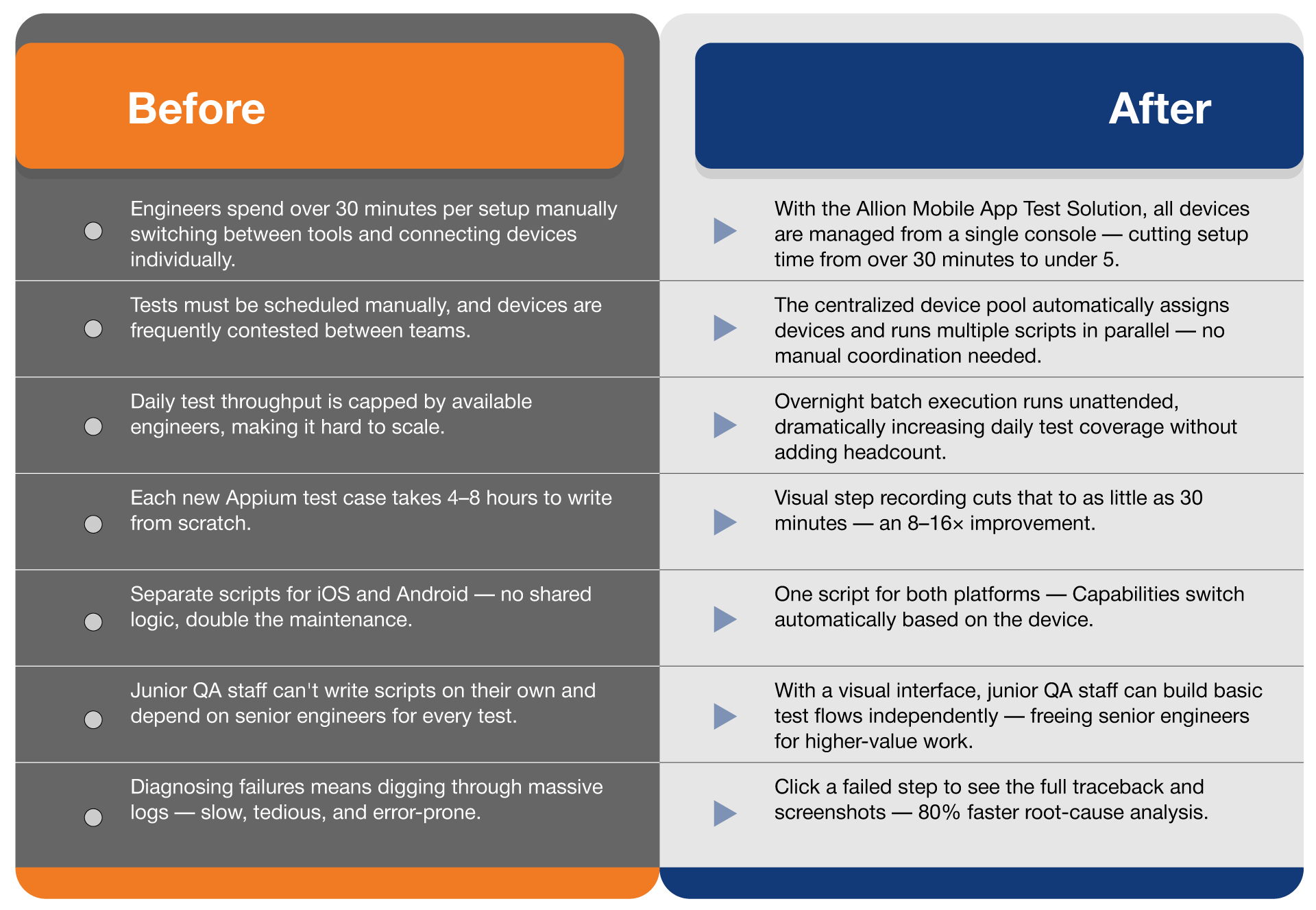
Deploying the Allion Mobile App Test Solution significantly reduces test execution time and script development cycles, while streamlining issue tracking and stakeholder communication. Together, these gains protect product quality, accelerate time to launch, and consistently deliver on the goal of Time to Market with Quality.
Test Preparation Time
Reduced 83%
30 min → 5 min
Script Build Speed
8× Faster
4–8 hours → 30 minutes
Issue Localization Time
Reduced 80%
Manual log review
→ One-click expansion
Management Reporting Efficiency
Real-Time Available
Updates during execution
No manual aggregation needed