

















Allion AI PC SQA Testing Solution
Driven by the AI PC wave, the PC product line now spans NBs, Desktops, Tablets, and various AI PCs. The launch of each product is accompanied by a complex software and hardware ecosystem: OS version iterations, driver updates, diverse peripheral interfaces (USB, HDMI, Thunderbolt), and various hardware designs. As product functions become increasingly complex, the dimension and depth of testing have multiplied accordingly.
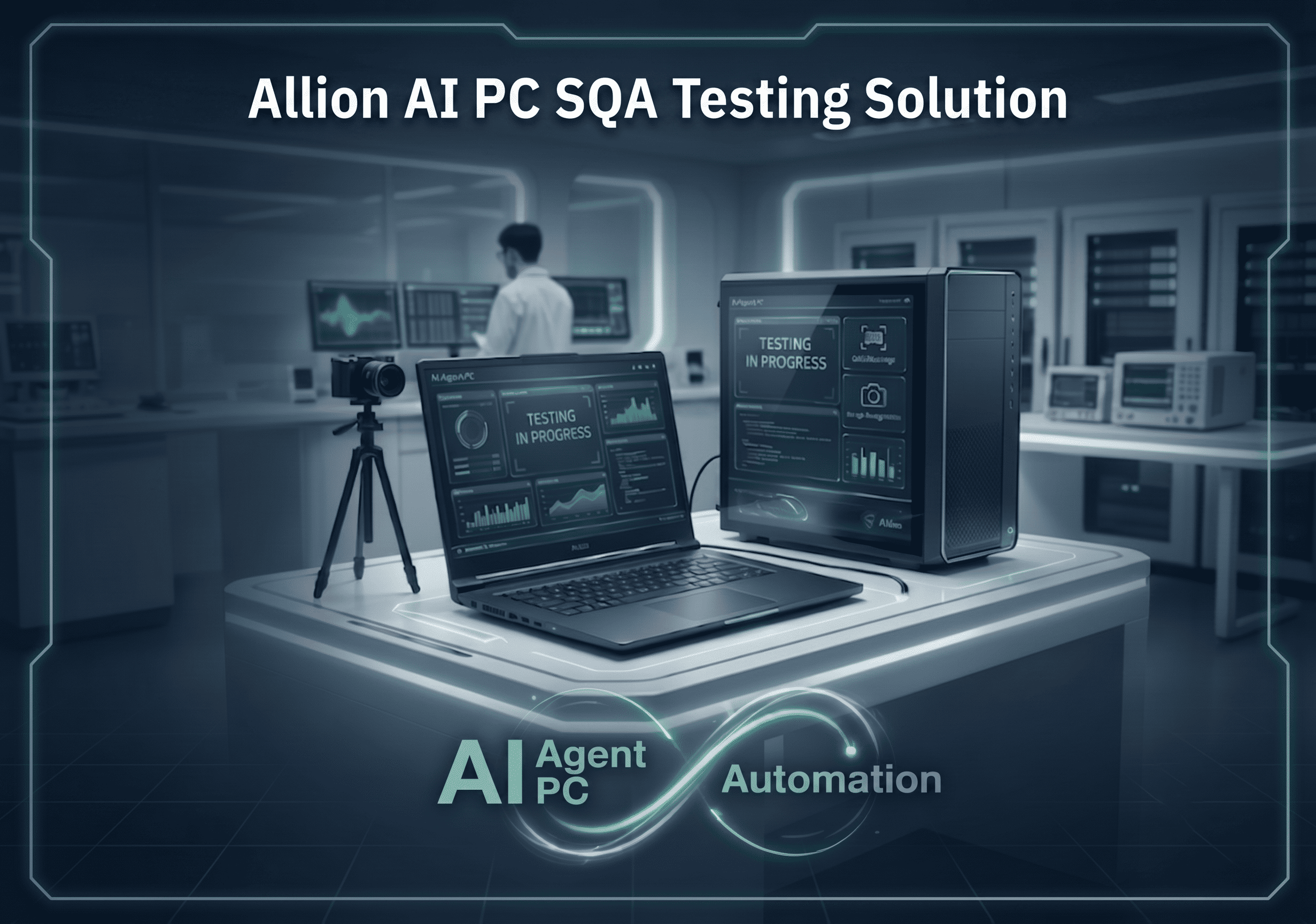
With over 30 years of deep experience in the PC testing field, Allion Labs deeply understands these pain points. Based on this expertise, we have developed the “AI Agent PC Automation Testing Solution”—an automated testing platform specifically designed for PC development and testing, helping engineers establish a reliable, reproducible, and scalable testing workflow.
Challenges Faced by the PC Testing Ecosystem
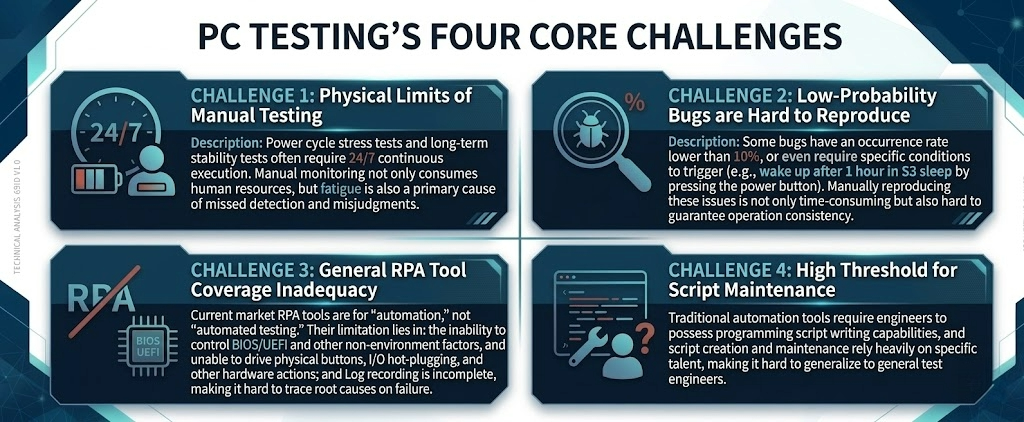
Brand manufacturers face four core challenges during the PC testing process:
- Challenge 1 |The Physical Limits of Manual Testing
- Challenge 2 |Difficulty in Reproducing Low-Probability Bugs
- Challenge 3 |Insufficient Coverage by Standard RPA Tools
- Challenge 4 |High Threshold for Script Maintenance
Allion AI PC SQA Testing Solution Overview
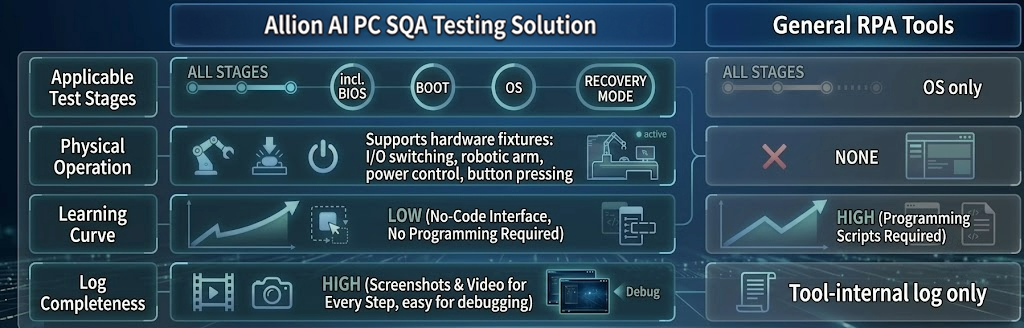
The AI PC SQA Testing Solution addresses the aforementioned challenges with three core capabilities:
- No-Code Script Editing Platform
- Test engineers can create, edit, and execute test scripts through an intuitive interface without needing a programming background.
- Hardware-Software Integrated Control
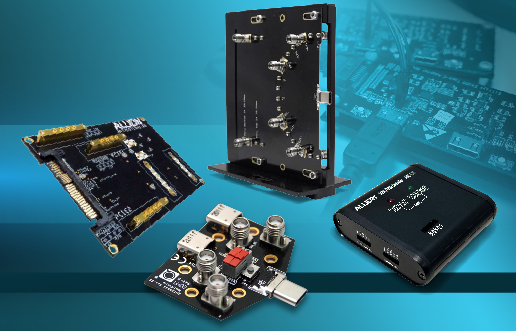
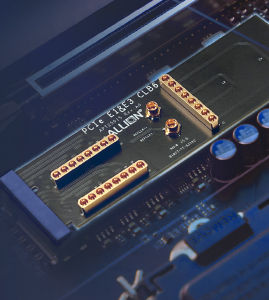
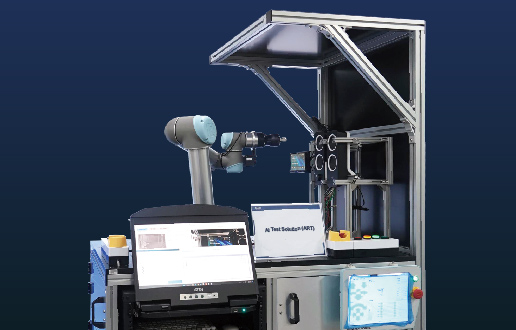
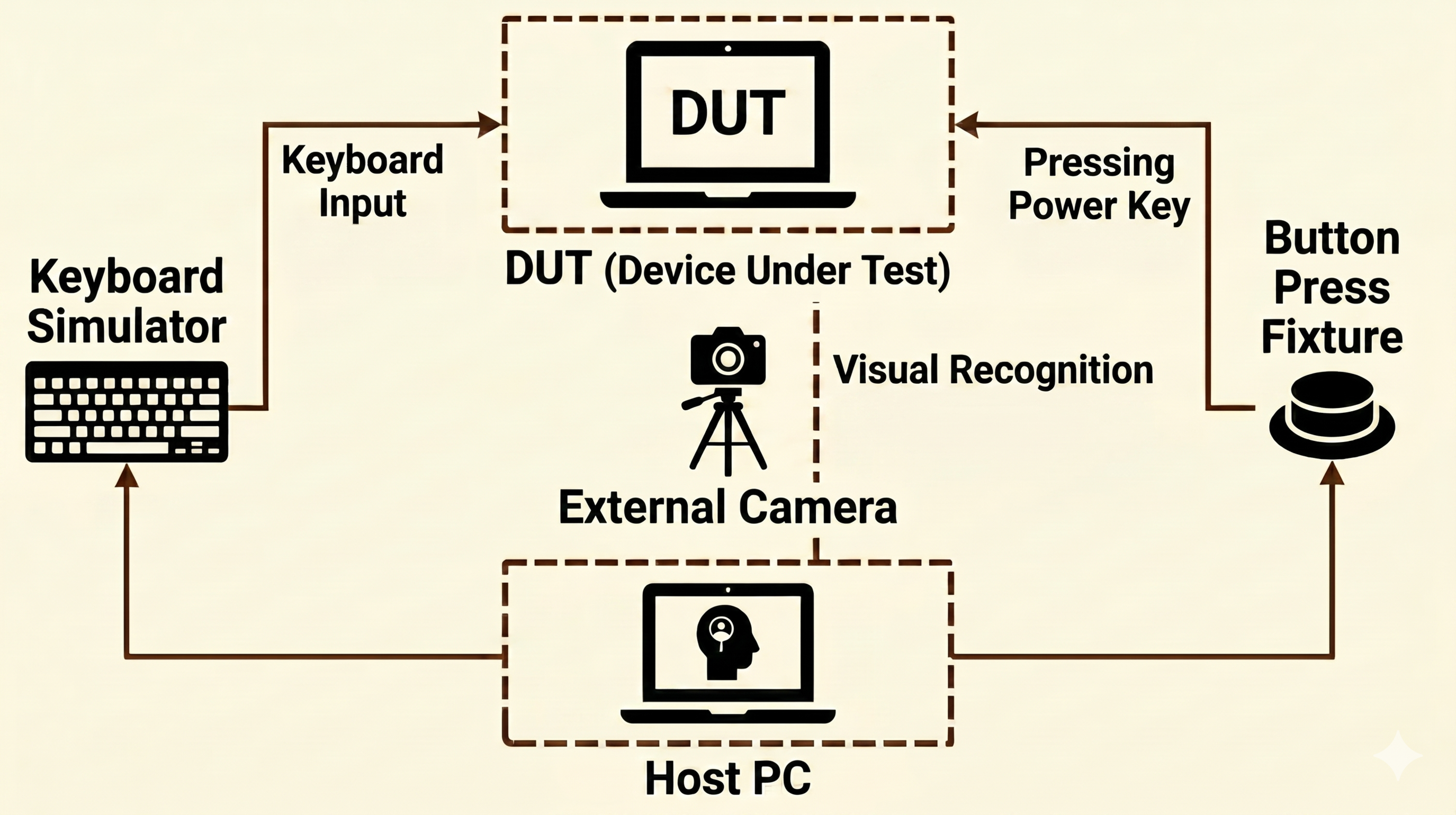
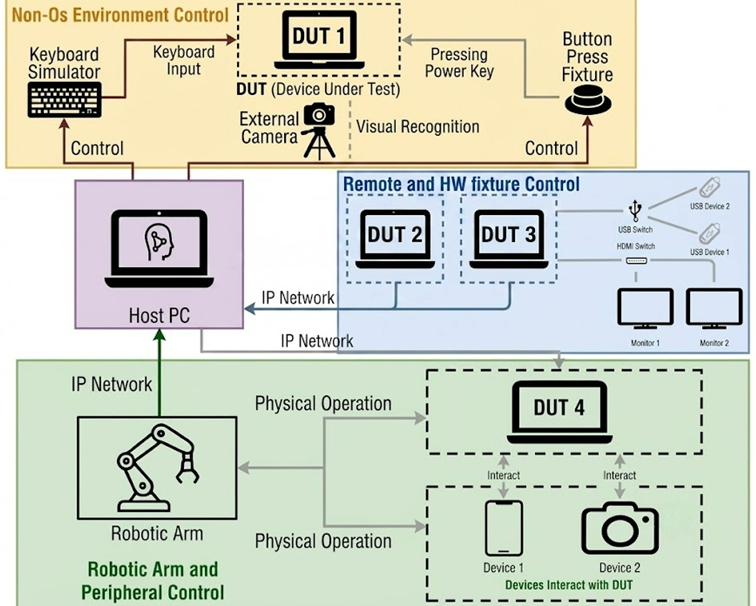
- In addition to pure software-level mouse/keyboard emulation, OCR recognition, and image recognition, it integrates various external hardware fixtures, covering physical-layer operations such as physical button pressing, I/O plugging/unplugging, and power management.
- Comprehensive Log Reports
- Every test step records full screenshots and videos. When a failure occurs, engineers can trace it back step-by-step to quickly determine whether it is a script issue or a defect in the product itself.
AI PC SQA Testing Solution vs. Standard RPA Tools
Guidelines for Critical Test Scenarios
Based on years of experience in PC testing services, Allion has compiled the following six critical test scenarios as a standardized testing framework for implementing the AI PC SQA Testing Solution, helping clients quickly establish automated test scripts that align with real-world usage scenarios.
Scenario 1: OS Upgrades and Driver Regression Testing
After an OS version update or driver upgrade, App compatibility, audio, and video output may be affected, potentially leading to BSoD or functional failures in severe cases.
- Automatically compare App versions, driver versions, and registry settings before and after updates
- Read configuration values via OCR and compare them with SPEC, while using image recognition to verify UI elements
- Integrate external cameras to recognize BIOS screens and confirm that UEFI settings are not reset after updates


Scenario 2: Power Management Loop Testing
Repeatedly entering and leaving power-saving modes (S3 Sleep, S4 Hibernate) during prolonged PC usage can trigger driver failures, BSoD, data loss, and other low-probability but high-impact issues.
- Utilize AC/DC Power Control fixtures for remote power management, simulating complete cold boot and shutdown cycles
- Employ Physical Button Pressing Fixtures to control power buttons for sleep/wake operations
- Pair external cameras with image recognition to monitor screens for abnormal displays
- Monitor DUT status via network Ping from the Host PC to automatically determine if a reset is required
Scenario 3: Display Output Interface Verification
With the growing demand for 4K/5K/8K high-resolution displays, multi-monitor configurations and various interface switches (USB-C, HDMI, DP) complicate the testing matrix.
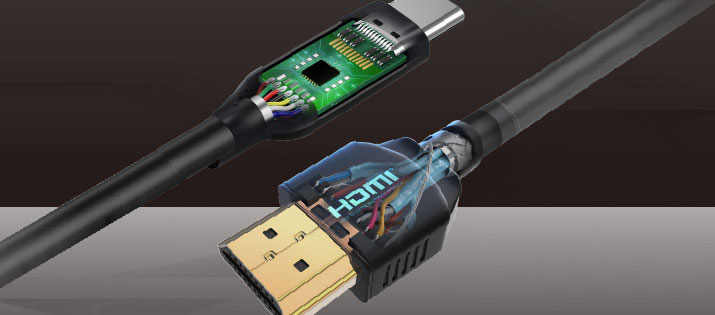
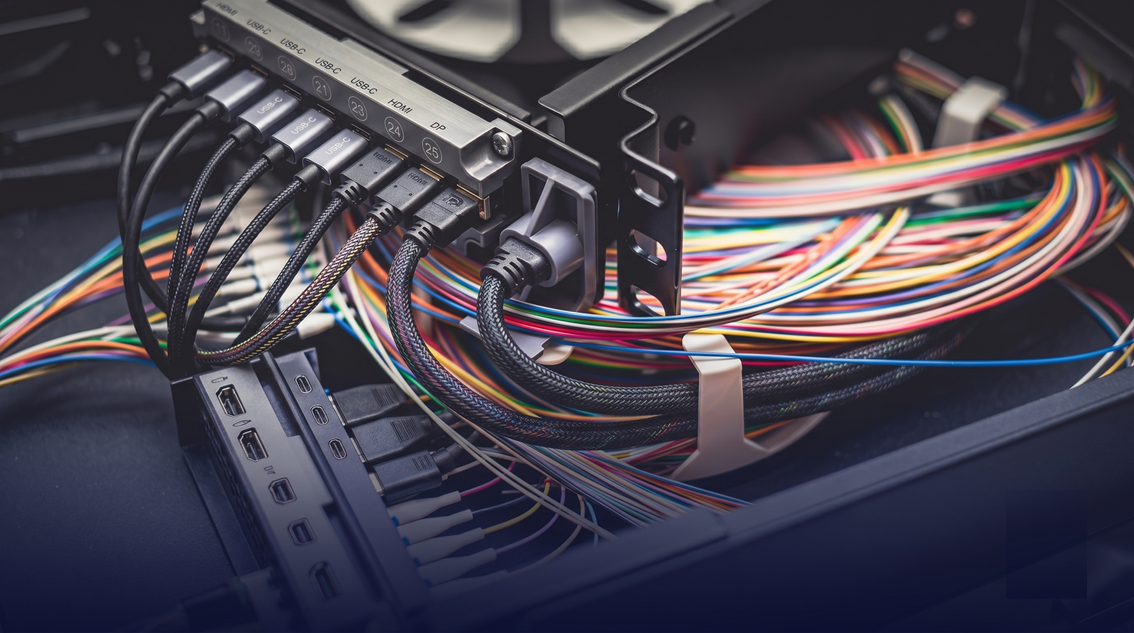
- Allion I/O Switch Fixture simulates HDMI / DisplayPort / USB-C device plugging, unplugging, and switching
- Use external cameras to recognize screen OSD menus and resolution settings
- Automatically detect OSD display anomalies, screen tearing, no-signal issues, etc.

Scenario 4: Intermittent Long-Term Testing
(Unattended Testing)
Some bugs have strict trigger conditions (occurrence rate < 10%) and must be executed under specific timing sequences to recur, making them difficult to reproduce consistently via manual testing.
- Precise timing execution: Scripts can set exact waiting times (e.g., triggering after 60 minutes of idle time) to ensure consistent operational timing for each test
- Physical Button Pressing Fixtures control power buttons, eliminating the need for manual waiting
- Image recognition automatically detects abnormal UI states and instantly captures screenshots as evidence upon failure
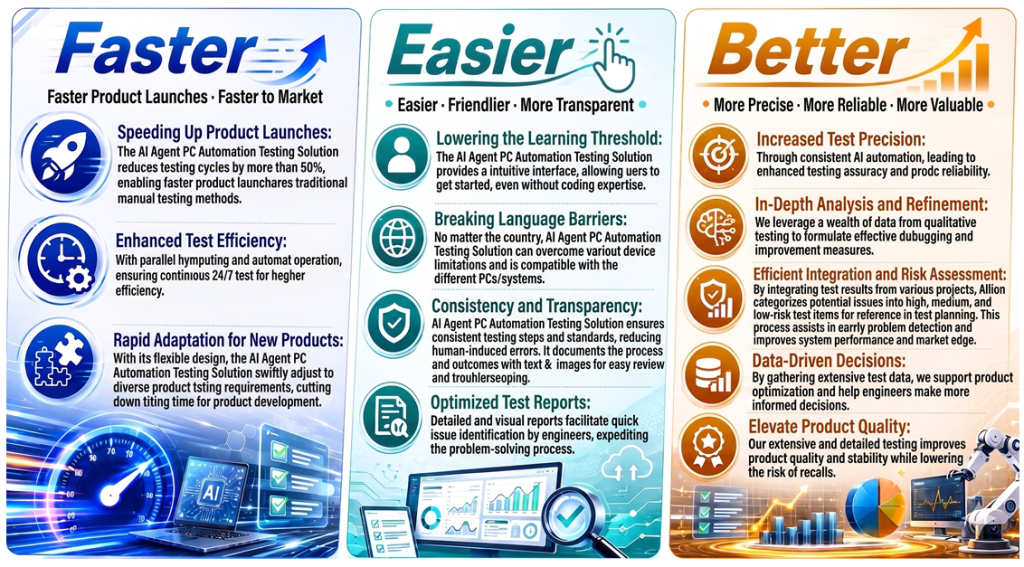
- 24/7 cyclical execution significantly increases the reproduction rate of low-probability bugs
Scenario 5: Long-Term Stability and Stress Testing
PC products must pass reliability verification through continuous, long-term operation to ensure that accumulated environmental factors do not trigger anomalies.
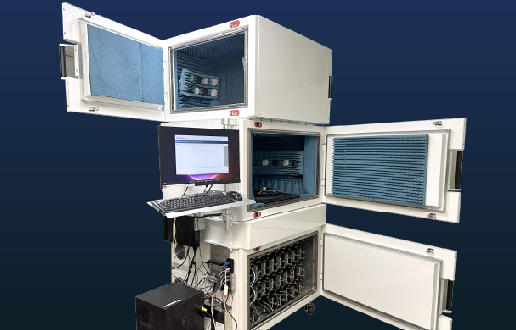
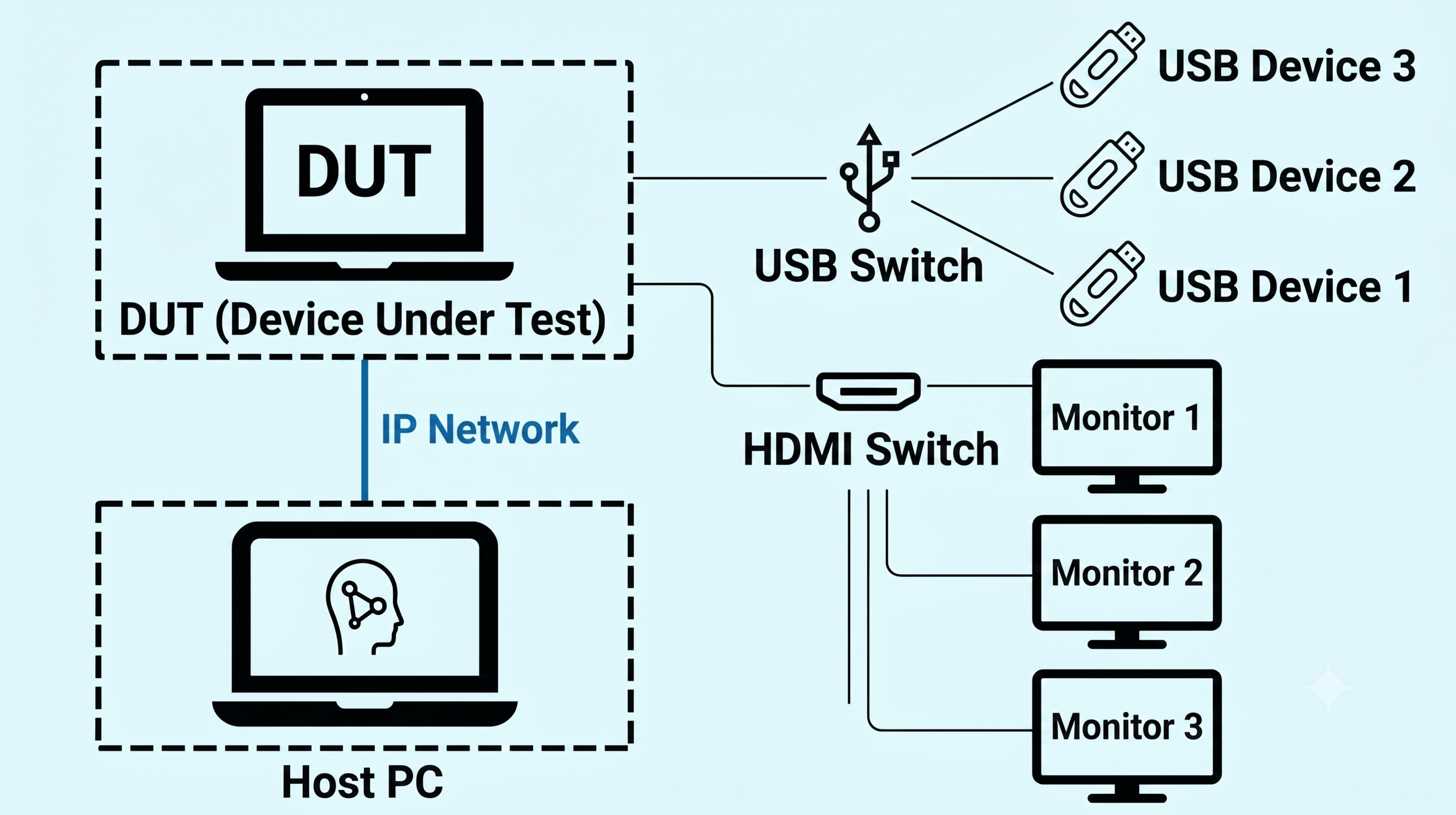
- Multi-device control architecture: One Host PC simultaneously manages multiple DUTs to run stress tests in parallel
- I/O Switch Fixture automates USB/HDMI hot-plugging cycles
- Comprehensive log records trace operations throughout the entire process, allowing anomalies at any point in time to be reviewed


Scenario 6: Post-Deployment Environment Verification (OOBE Automation)
Enterprise IT or ODM manufacturers need to perform identical environment setups on a large volume of PCs to ensure consistent settings across all devices and verify deployment success rates.
- Keyboard Simulator controls BIOS/UEFI settings and OOBE input processes (eliminating manual device-by-device configuration)
- OCR recognizes text on installation screens to automatically determine setup progress and success/failure status
- Multi-device control architecture manages multiple DUTs simultaneously, significantly shortening overall deployment time
Why Allion? Core Features and Highlights
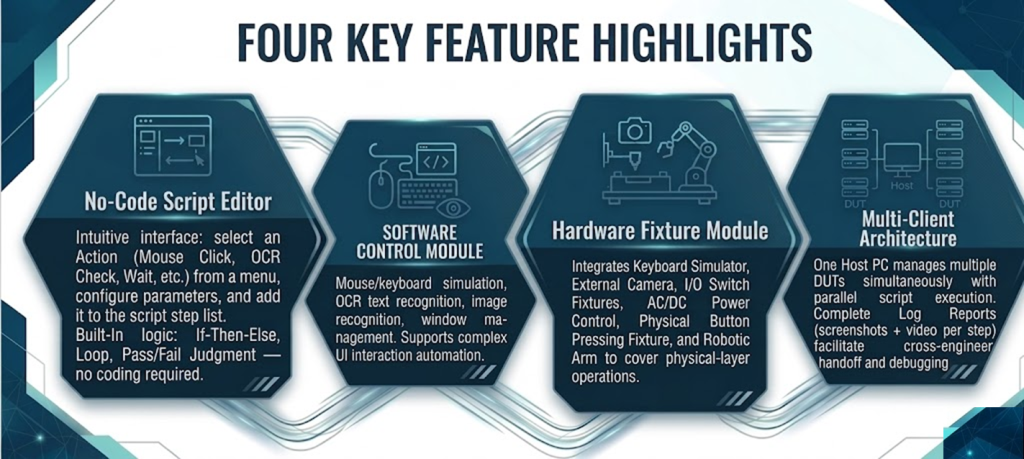
The functional architecture of the AI PC SQA Testing Solution is divided into three dimensions: Software Control Module, Hardware Fixture Module, and Multi-Device Management Architecture. These three components work in synergy to form a complete automated testing environment.

Four Core Functional Highlights
Advantages of Allion’s Automation Platform
Time to Market with Quality! Allion Builds Your Path to Success in PC Test Automation
Whether you are facing bottlenecks in manual testing, difficulties in reproducing low-probability bugs, or high thresholds for script maintenance, Fill out the form immediately to let us know any challenges you are encountering!