














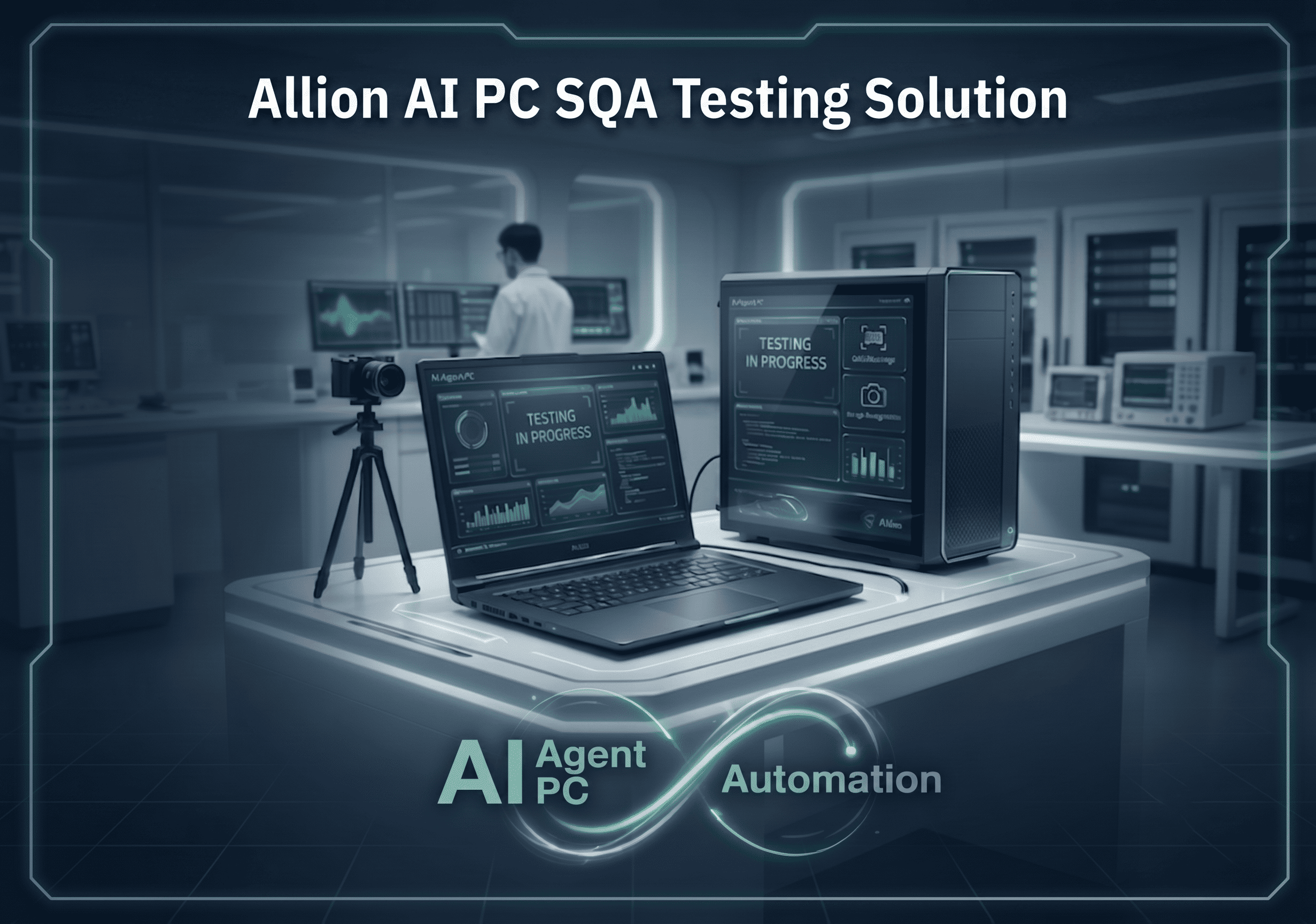
Allion AI PC SQA Testing Solution
Automate the PC testing workflow from BIOS to the Windows application layer, determine Pass/Fail results, and retain traceable evidence.
-
Testing Scope: BIOS/UEFI, boot process, recovery mode, up to the Windows application layer
-
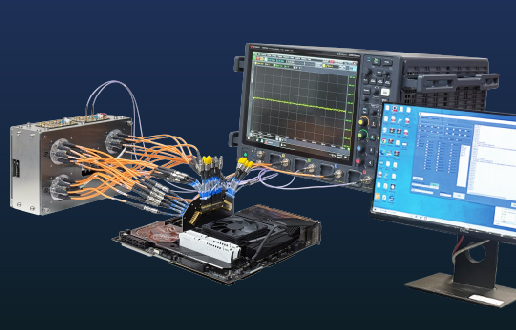
Operational Capabilities: Hardware fixtures for physical button pressing, I/O hot-plugging, and power control
-
Execution Method: No-code script editing, supporting 24/7 unattended operation and multi-DUT parallel testing
Driven by the AI PC wave, the PC product line now spans NBs, Desktops, Tablets, and various AI PCs. The launch of each product is accompanied by a complex software and hardware ecosystem: OS version iterations, driver updates, diverse peripheral interfaces (USB, HDMI, Thunderbolt), and various hardware designs. As product functions become increasingly complex, the dimension and depth of testing have multiplied accordingly.
With over 30 years of deep experience in the PC testing field, Allion Labs deeply understands these pain points. Based on this expertise, we have developed the “AI Agent PC Automation Testing Solution”—an automated testing platform specifically designed for PC development and testing, helping engineers establish a reliable, reproducible, and scalable testing workflow.
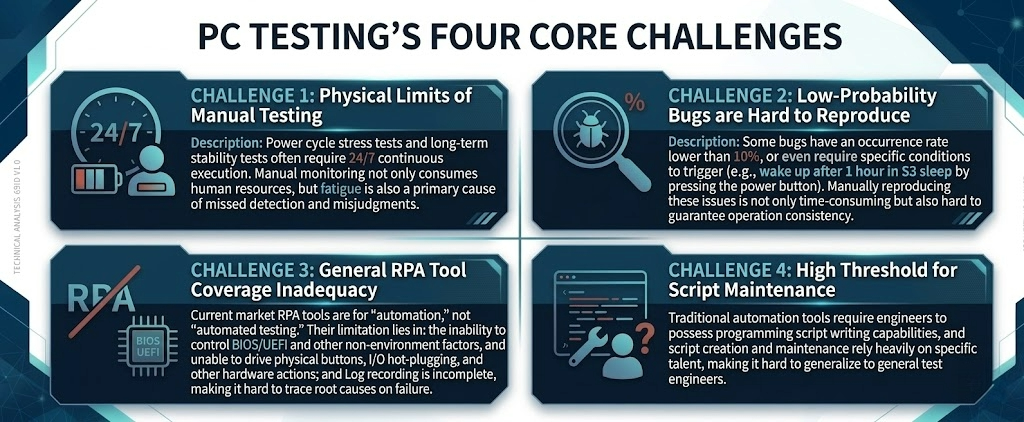
Challenges Faced by the PC Testing Ecosystem
| CHALLENGE | Description |
|---|---|
| CHALLENGE 1: Physical Limits of Manual Testing | Power cycle stress tests and long-term stability tests often require 24/7 continuous execution. Manual monitoring not only consumes human resources, but fatigue is also a primary cause of missed detection and misjudgments. |
| CHALLENGE 2: Low-Probability Bugs are Hard to Reproduce | Some bugs have an occurrence rate lower than 10%, or even require specific conditions to trigger (e.g., wake up after 1 hour in S3 sleep by pressing the power button). Manually reproducing these issues is not only time-consuming but also hard to guarantee operation consistency. |
| CHALLENGE 3: General RPA Tool Coverage Inadequacy | Current market RPA tools are for "automation," not "automated testing." Their limitation lies in: the inability to control BIOS/UEFI and other non-environment factors, and unable to drive physical buttons, I/O hot-plugging, and other hardware actions; and Log recording is incomplete, making it hard to trace root causes on failure. |
| CHALLENGE 4: High Threshold for Script Maintenance | Traditional automation tools require engineers to possess programming script writing capabilities, and script creation and maintenance rely heavily on specific talent, making it hard to generalize to general test engineers. |
Allion AI PC SQA Testing Solution Overview
The AI PC SQA Testing Solution addresses the aforementioned challenges with three core capabilities:
- No-Code Script Editing Platform
- Test engineers can create, edit, and execute test scripts through an intuitive interface without needing a programming background.
- Hardware-Software Integrated Control
- In addition to pure software-level mouse/keyboard emulation, OCR recognition, and image recognition, it integrates various external hardware fixtures, covering physical-layer operations such as physical button pressing, I/O plugging/unplugging, and power management.
- Comprehensive Log Reports
- Every test step records full screenshots and videos. When a failure occurs, engineers can trace it back step-by-step to quickly determine whether it is a script issue or a defect in the product itself.
AI PC SQA Testing Solution vs. Standard RPA Tools
General RPA tools aim to “complete the workflow,” whereas the AI PC SQA Testing Solution aims to “determine Pass/Fail and retain evidence.”
| Comparison Item | Allion AI PC SQA Testing Solution | General RPA Tools |
|---|---|---|
| Applicable Testing Stages | All stages (BIOS, boot, OS, Recovery mode) | OS only |
| Physical Operation | Supports hardware fixtures: I/O switching, robotic arm, power control, button pressing | None |
| Learning Curve | Low (No-Code interface, no programming required) | High (scripting required) |
| Log Completeness | High (screenshots + video per step, easy debugging) | Tool-internal log only |
Guidelines for Critical Test Scenarios
Based on years of experience in PC testing services, Allion has compiled the following six critical test scenarios as a standardized testing framework for implementing the AI PC SQA Testing Solution, helping clients quickly establish automated test scripts that align with real-world usage scenarios.
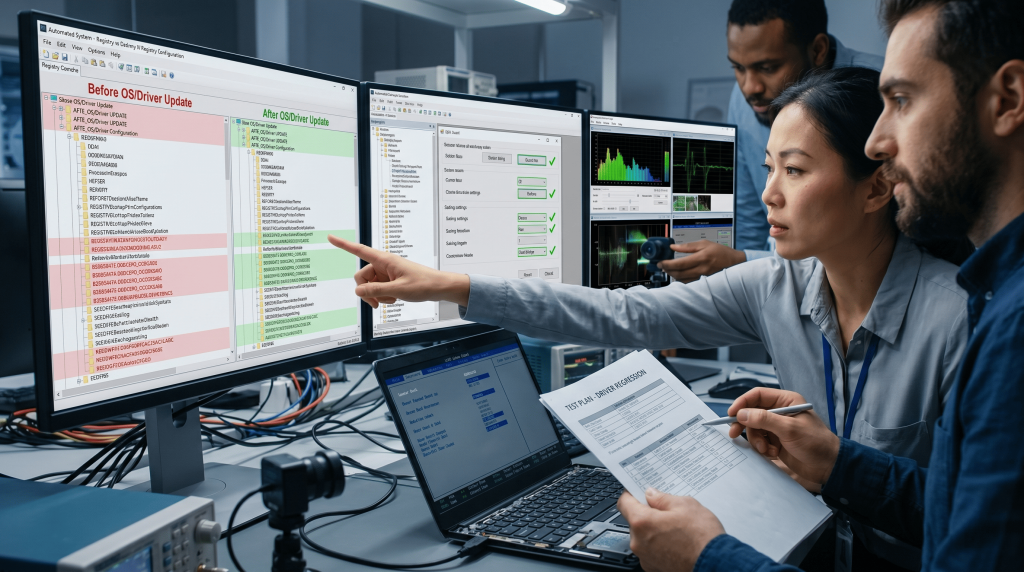
Scenario 1: OS Upgrades and Driver Regression Testing
After an OS version update or driver upgrade, App compatibility, audio, and video output may be affected, potentially leading to BSoD or functional failures in severe cases.
- Automatically compare App versions, driver versions, and registry settings before and after updates
- Read configuration values via OCR and compare them with SPEC, while using image recognition to verify UI elements
- Integrate external cameras to recognize BIOS screens and confirm that UEFI settings are not reset after updates
Scenario 2: Power Management Loop Testing
Repeatedly entering and leaving power-saving modes (S3 Sleep, S4 Hibernate) during prolonged PC usage can trigger driver failures, BSoD, data loss, and other low-probability but high-impact issues.
- Utilize AC/DC Power Control fixtures for remote power management, simulating complete cold boot and shutdown cycles
- Employ Physical Button Pressing Fixtures to control power buttons for sleep/wake operations
- Pair external cameras with image recognition to monitor screens for abnormal displays
- Monitor DUT status via network Ping from the Host PC to automatically determine if a reset is required
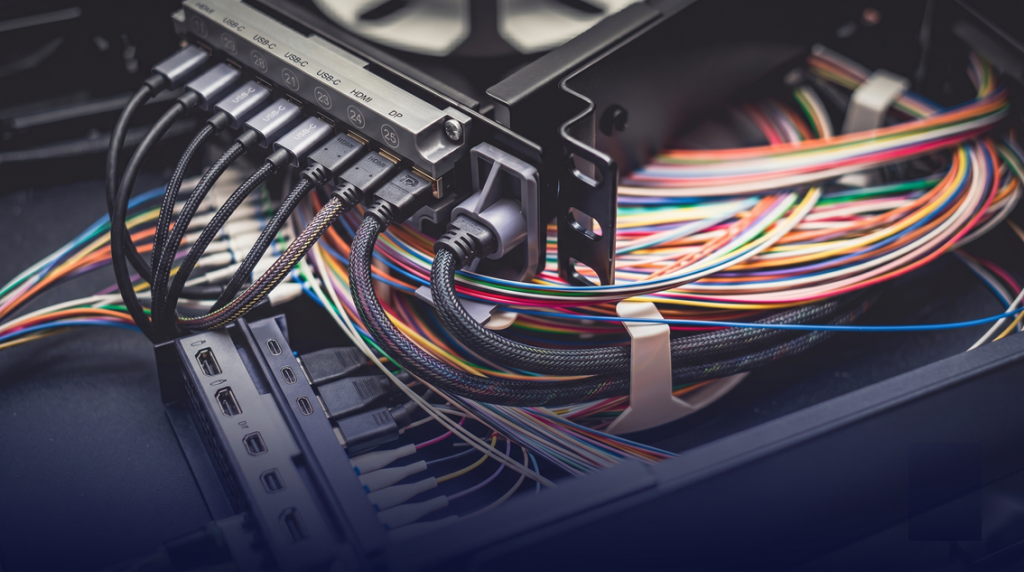
Scenario 3: Display Output Interface Verification
With the growing demand for 4K/5K/8K high-resolution displays, multi-monitor configurations and various interface switches (USB-C, HDMI, DP) complicate the testing matrix.
- Allion I/O Switch Fixture simulates HDMI / DisplayPort / USB-C device plugging, unplugging, and switching
- Use external cameras to recognize screen OSD menus and resolution settings
- Automatically detect OSD display anomalies, screen tearing, no-signal issues, etc.

Scenario 4: Intermittent Long-Term Testing
(Unattended Testing)
Some bugs have strict trigger conditions (occurrence rate < 10%) and must be executed under specific timing sequences to recur, making them difficult to reproduce consistently via manual testing.
- Precise timing execution: Scripts can set exact waiting times (e.g., triggering after 60 minutes of idle time) to ensure consistent operational timing for each test
- Physical Button Pressing Fixtures control power buttons, eliminating the need for manual waiting
- Image recognition automatically detects abnormal UI states and instantly captures screenshots as evidence upon failure
- 24/7 cyclical execution significantly increases the reproduction rate of low-probability bugs
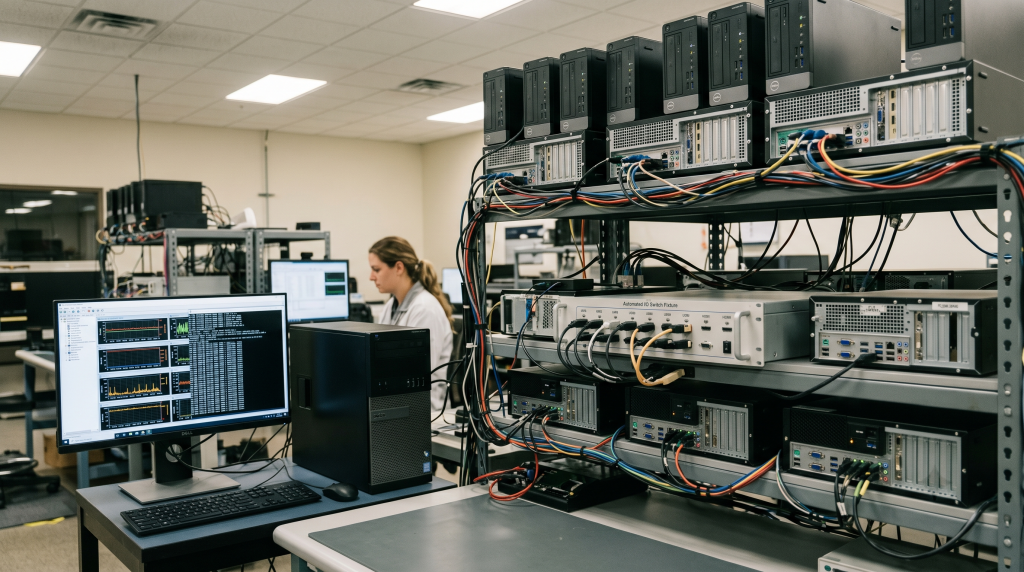
Scenario 5: Long-Term Stability and Stress Testing
PC products must pass reliability verification through continuous, long-term operation to ensure that accumulated environmental factors do not trigger anomalies.
- Multi-device control architecture: One Host PC simultaneously manages multiple DUTs to run stress tests in parallel
- I/O Switch Fixture automates USB/HDMI hot-plugging cycles
- Comprehensive log records trace operations throughout the entire process, allowing anomalies at any point in time to be reviewed
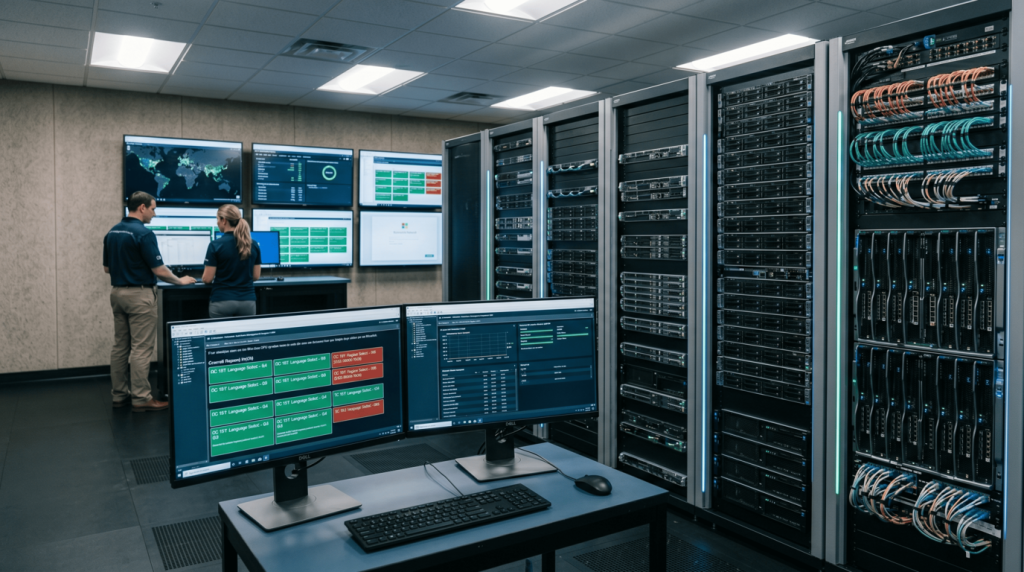
Scenario 6: Post-Deployment Environment Verification (OOBE Automation)
Enterprise IT or ODM manufacturers need to perform identical environment setups on a large volume of PCs to ensure consistent settings across all devices and verify deployment success rates.
- Keyboard Simulator controls BIOS/UEFI settings and OOBE input processes (eliminating manual device-by-device configuration)
- OCR recognizes text on installation screens to automatically determine setup progress and success/failure status
- Multi-device control architecture manages multiple DUTs simultaneously, significantly shortening overall deployment time
Why Allion? Core Features and Highlights
The functional architecture of the AI PC SQA Testing Solution is divided into three dimensions: Software Control Module, Hardware Fixture Module, and Multi-Device Management Architecture. These three components work in synergy to form a complete automated testing environment.
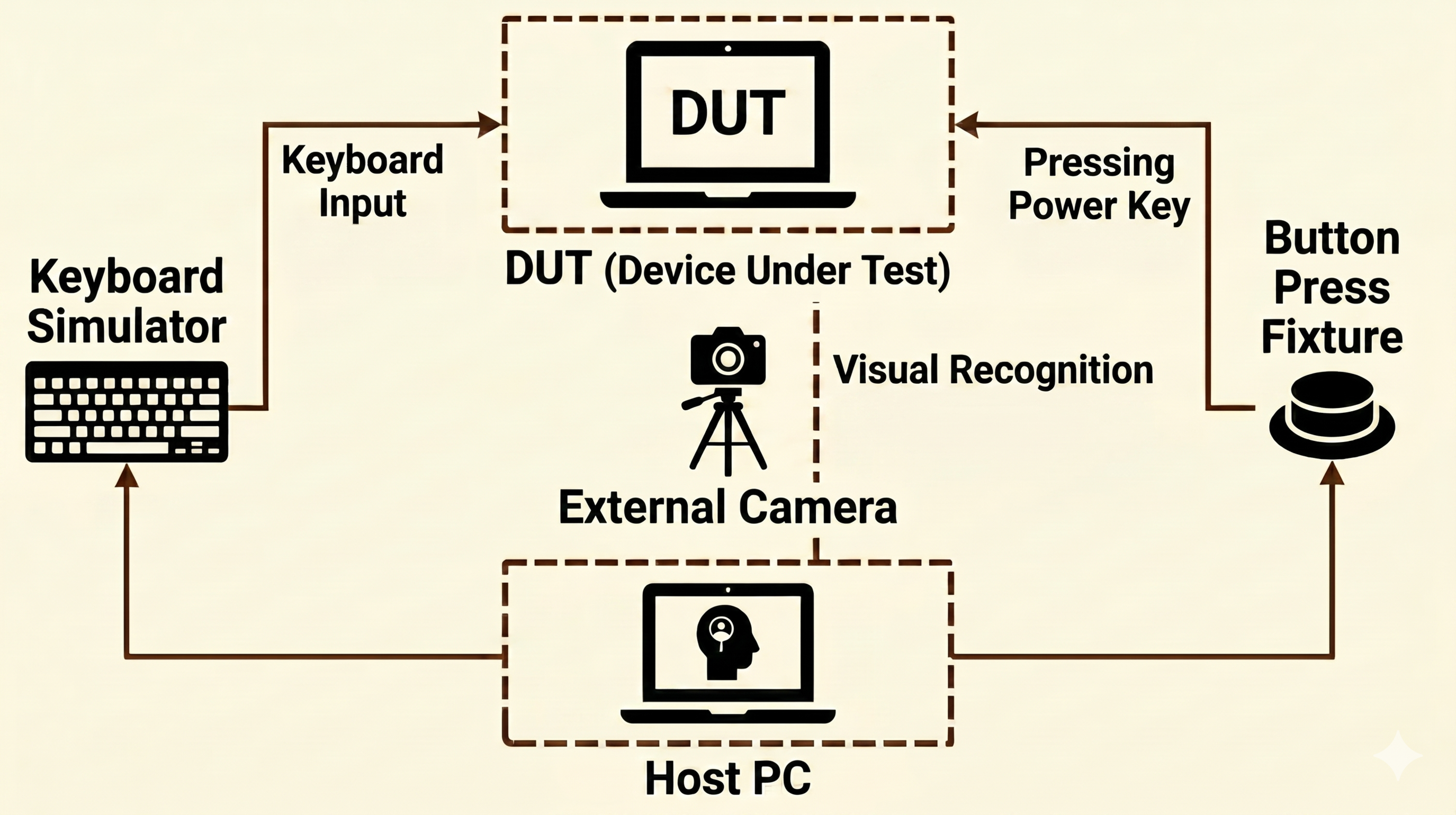
Application #1:
Non-OS Environment Control
Includes external cameras, physical button-pressing fixtures, and keyboard signal emulation tools, covering environments like BIOS and UEFI where the OS has not yet loaded. Applicable to BIOS-level configurations, OOBE, and other test scenarios.
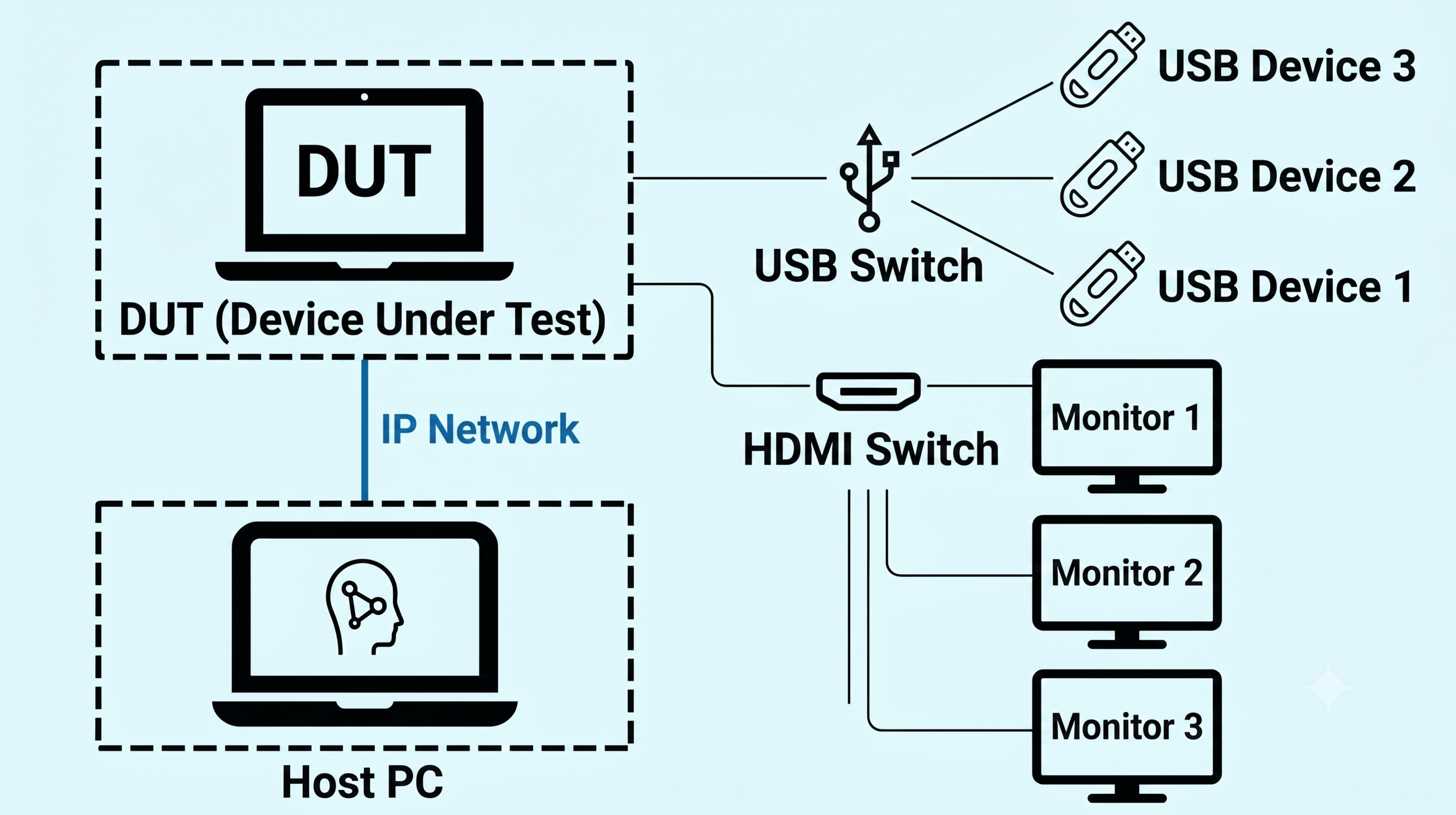
Application #2:
Remote and HW Fixture Control
Combines remote control functions with the I/O Switch Fixture, ideal for compatibility testing and hardware plugging/unplugging functional tests.

Application #3:
Robotic Arm and Peripheral Control
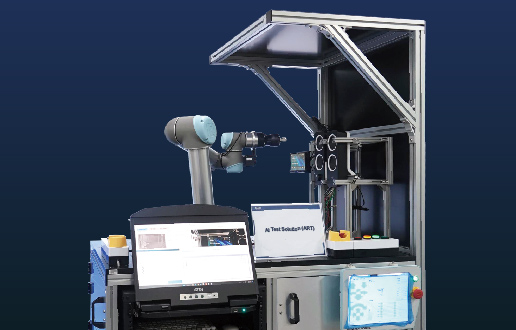
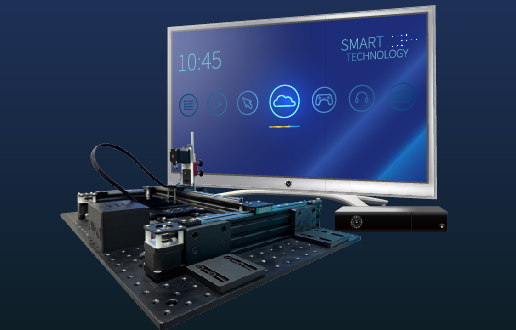
Features robotic arm control and remote control, perfectly suited for diverse, complex external devices or multifaceted operational scenarios involving touch, sliding, and multiple button clicks.
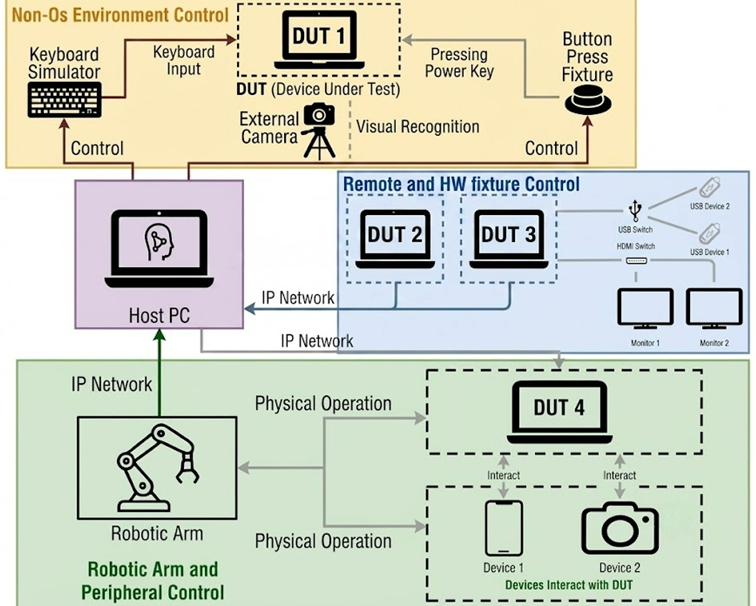
Application #4:
Composable System Architecture
All the modules mentioned above can be paired plurally based on actual testing needs, flexibly combining into the most suitable testing architecture.
Four Core Functional Highlights
| Feature | Description |
|---|---|
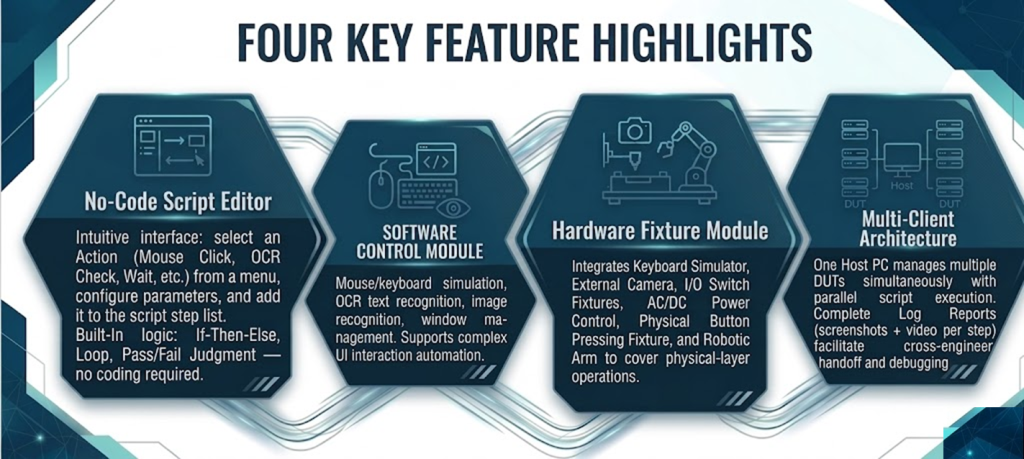
| No-Code Script Editor | Intuitive interface: select an Action (Mouse Click, OCR Check, Wait, etc.) from a menu, configure parameters, and add it to the script step list. Built-In logic: If-Then-Else, Loop, Pass/Fail Judgment — no coding required. |
| SOFTWARE CONTROL MODULE | Mouse/keyboard simulation, OCR text recognition, image recognition, window management. Supports complex UI interaction automation. |
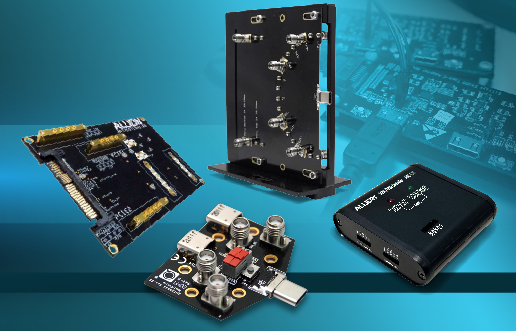
| Hardware Fixture Module | Integrates Keyboard Simulator, External Camera, I/O Switch Fixtures, AC/DC Power Control, Physical Button Pressing Fixture, and Robotic Arm to cover physical-layer operations. |
| Multi-Client Architecture | One Host PC manages multiple DUTs simultaneously with parallel script execution. Complete Log Reports (screenshots + video per step) facilitate cross-engineer handoff and debugging. |
Advantages of Allion’s Automation Platform
| Faster | Easier | Better |
|---|---|---|
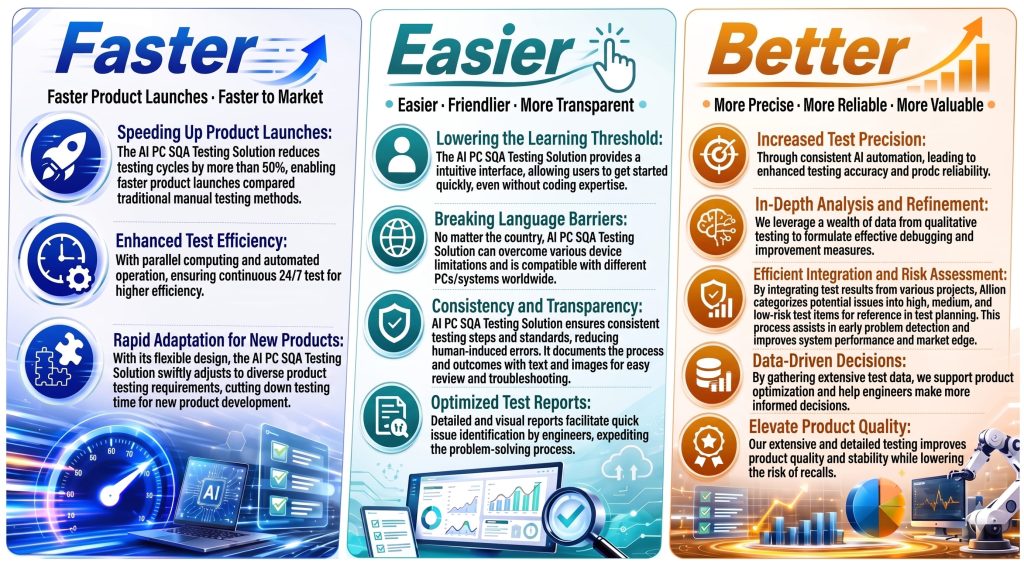
| Speeding Up Product Launches: The AI PC SQA Testing Solution reduces testing cycles by more than 50%, enabling faster product launches compared traditional manual testing methods. | Lowering the Learning Threshold: The AI PC SQA Testing Solution provides a intuitive interface, allowing users to get started quickly, even without coding expertise. | Increased Test Precision: Through consistent AI automation, leading to enhanced testing accuracy and product reliability. |
| Enhanced Test Efficiency: With parallel computing and automated operation, ensuring continuous 24/7 test for higher efficiency. | Breaking Language Barriers: No matter the country, AI PC SQA Testing Solution can overcome various device limitations and is compatible with different PCs/systems worldwide. | In-Depth Analysis and Refinement: We leverage a wealth of data from qualitative testing to formulate effective debugging and improvement measures. |
| Rapid Adaptation for New Products: With its flexible design, the AI PC SQA Testing Solution swiftly adjusts to diverse product testing requirements, cutting down testing time for new product development. | Consistency and Transparency: AI PC SQA Testing Solution ensures consistent testing steps and standards, reducing human-induced errors. It documents the process and outcomes with text and images for easy review and troubleshooting. | Efficient Integration and Risk Assessment: By integrating test results from various projects, Allion categorizes potential issues into high, medium, and low-risk test items for reference in test planning. This process assists in early problem detection and improves system performance and market edge. |
| Optimized Test Reports: Detailed and visual reports facilitate quick issue identification by engineers, expediting the problem-solving process. | Data-Driven Decisions: By gathering extensive test data, we support product optimization and help engineers make more informed decisions. | |
| Elevate Product Quality: Our extensive and detailed testing improves product quality and stability while lowering the risk of recalls. |
Frequently Asked Questions
Answers: This kind of low-probability issue is exactly why automated testing exists. Allion’s AI PC SQA Testing Solution uses an AC/DC Power Control fixture to control power remotely and a Physical Button Pressing Fixture to press the power button, running 24/7 unattended validation power cycles and automatically verifying that system functions recover after each wake. For issues with an occurrence rate below 10%, whether they reproduce depends on the number of cycles run, not on a tester’s patience.
Answers: The approach is to control timing precisely and then repeat it at scale. Allion’s scripts can set precise wait conditions — for example, waking the device by pressing the power button exactly 60 minutes after it enters S3 sleep — ensuring the timing of every run is consistent, which is the hardest thing for manual testing to maintain. After wake, the controller continuously monitors the device under test over the network and determines whether the connection has recovered, automatically capturing a screenshot as evidence the moment an anomaly occurs.
Answers: This is a question automated testing has to be able to answer, and it’s why Allion builds complete logging into every run. Every step keeps a screenshot and video recording, so when a failure occurs it can be traced back step by step to determine whether it’s a bug in the script itself or a real product issue. A generic RPA tool only runs the script to completion — when it fails, there’s nothing to trace back to. That’s the actual difference between “automation” and “automated testing.”
Answers: Yes. Allion’s AI PC SQA Testing Solution automatically captures a screenshot at every test step and supports full video recording, with the test report presented in HTML format showing the Pass/Fail result for each step. This is the substantive difference from generic automation tools — a generic tool just runs the script to completion, leaving engineers nothing to trace back to on failure, whereas complete logs let you determine whether a failure is a bug in the script or a real product defect.
Answers: Yes. Automation tools that depend on the operating system can’t function in a pre-OS environment. Allion’s approach moves the control path outside the OS entirely: a Keyboard Simulator fixture sends keystroke signals and an external camera reads the screen, so testing can run and log results through BIOS/UEFI setup, the boot process, Recovery mode, and OOBE — all stages before the operating system has loaded.
Answers: The difference is in what each is built for. Generic RPA tools are built for “automation” — the goal is to get a workflow to run to completion, and they can only operate software interfaces inside a running OS. Allion’s AI PC SQA Testing Solution is built for “automated testing” — the goal is to determine Pass/Fail and preserve traceable evidence. Two concrete differences follow: it keeps operating through pre-OS environments like BIOS/UEFI and abnormal states like BSoD, and it can drive physical-layer actions — button presses, I/O plug/unplug, power switching — through hardware fixtures.
Answers: Yes, they suit different situations. Electrically controlled fixtures (I/O Switch Fixture, AC/DC Power Control) suit fixed-position, highly repetitive actions — fast and stable. A Mini Robotic Arm or Articulating Magic Arm suits positions that aren’t fixed, unusual angles, or actions like touch and swipe that need more varied movement. Allion selects the combination based on the actual test action required, and the two can also be used together.
Answers: Allion offers custom test fixture design. Standard fixtures already cover USB-A/USB-C/HDMI/DisplayPort plug cycling, physical button pressing, and power control; for buttons in unusual positions or angles, an Articulating Magic Arm or Mini Robotic Arm can be used; and lid open/close is handled by an Automated Lid Control Fixture, used for hinge durability testing. Actual feasibility and timeline need to be assessed against the specific mechanical design.
Answers: Yes. Allion’s software control module covers mouse/keyboard operation, launching and controlling applications, and system-state checks (network connection, Device Manager, registry), so everyday actions like installing software, opening files, and switching between applications can all be scripted, with a result determined at every step.
Answers: Both options work. Allion’s AI PC SQA Testing Solution uses a No-Code interface, where test engineers assemble scripts by selecting actions and setting parameters — no programming ability required, so the bar for a customer’s own team to maintain it is low, and Allion also provides training and operating manuals. If the customer doesn’t want to commit staff to it, Allion’s team can take over script creation and maintenance instead, delivered as a testing consultancy service (extension lab / managed validation service).
Answers: The key to estimating the timeline is separating what can use a standard fixture from what needs a custom one. Standard I/O plug/unplug and power control fixtures can be reused directly, so the lead time there mostly goes into building scripts and confirming pass/fail criteria; a fixture requiring custom mechanical design becomes the critical path for the whole project and should be confirmed first. Allion’s recommendation is to break out fixture requirements and schedule them separately right at project kickoff — the actual timeline varies with mechanical complexity and should be confirmed with Allion’s sales team.
Answers: Allion’s issue analysis and debugging service exists exactly for this situation. By the time an anomaly occurs during automated testing, screenshots, video, and logs have already been captured, so the investigation can start with complete evidence in the morning without needing to reproduce the issue again. Allion’s engineering team then helps narrow down the root cause and can put together evidence and conclusions that can be presented directly to the brand customer.
Time to Market with Quality!
Allion builds your path to PC testing automation success.
Whether you face manual testing bottlenecks, low-probability bug reproduction challenges, or high script maintenance overhead — fill in the form and tell us your pain points.
►Contact Allion Now immediately to let us know any challenges you are encountering!